
DSTV Extraview & Explora Ultra Installation
Two decoders on one DSTV account, and an Explora Ultra set up so the apps, Wi-Fi and recording work from day one.
- 38 Google reviews from customers
- 3+ years Installing across the Western Cape
- Every tunerTested with a signal meter before we leave
- From R450 Call or WhatsApp for your price
How we work
- Two decoders, one account
- Smart LNB checked or upgraded
- Cables hidden on request
- Ultra set up: Wi-Fi, apps, recording
Extraview lets you watch and record different channels in two rooms on a single DSTV account. The second decoder carries a small monthly Extraview access fee, paid to DStv, which is far less than a second full subscription. The part people get wrong is the installation. Extraview only works when both decoders sit on the same Smart LNB and dish system, with a proper cable to each.
We install the link, run the cabling and set up the Explora Ultra, including Wi-Fi, apps and recording. If you have no dish yet, start with DSTV installation and we will plan for two decoders from the first day.
How Extraview works
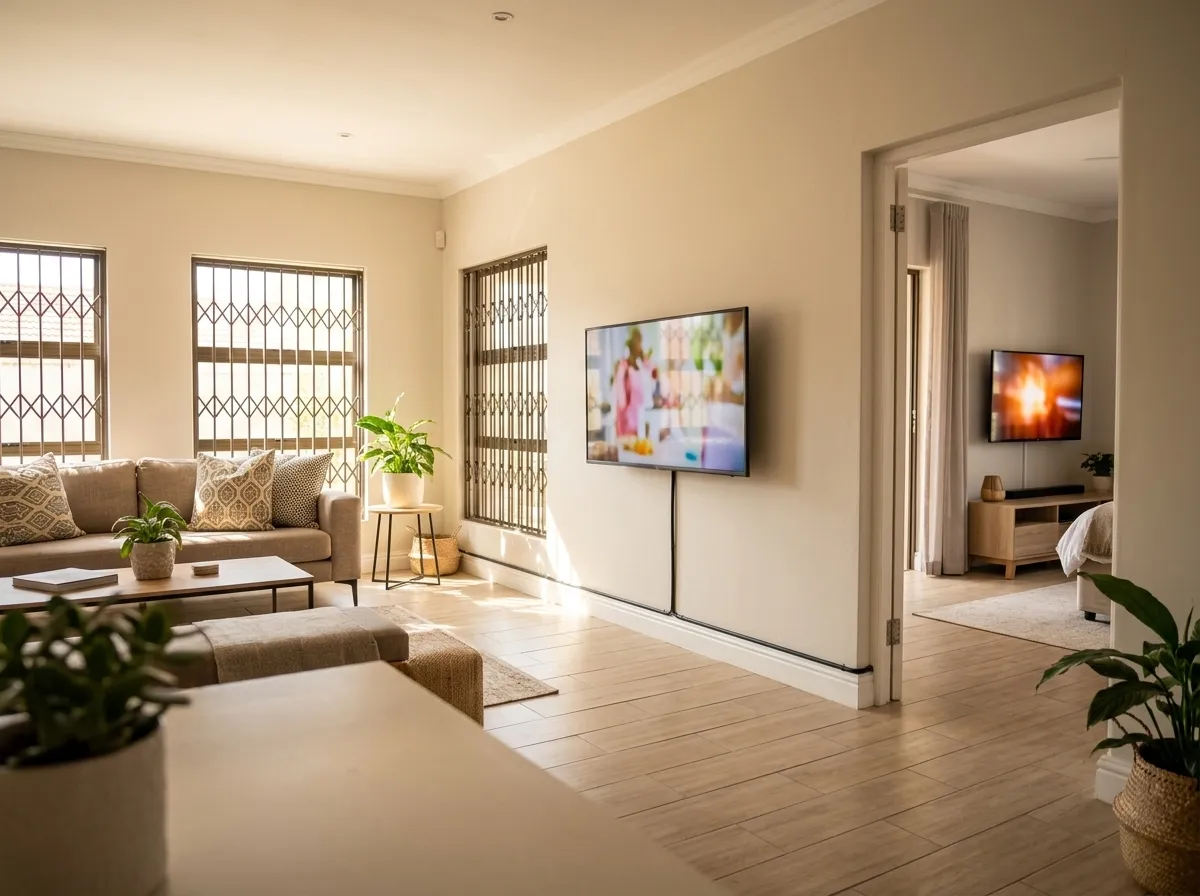
Extraview links two decoders on one DSTV account: a primary decoder, and a secondary decoder in another room. Each decoder gets its own cable from the Smart LNB on the dish, so each can tune its own channel. That is why one person can watch the rugby in the lounge while someone else watches a series in the bedroom.
Both decoders sit on one account, so you manage a single package and a single bill from DStv, plus the small Extraview access fee. The secondary decoder follows the primary, which is also why a fault on the primary can show up as no link on the second.
We handle the physical side: the Smart LNB, the cable to each decoder and the link-up. DStv handles the subscription and the access fee. If Extraview has stopped working on an existing setup, our DSTV repairs page explains how we fault-find it.
What you need
Check these before we book. If you are unsure about any of them, WhatsApp us a photo of your dish and decoders.
- A Smart LNB on the dish. An older LNB may not support a linked pair properly. We check it and upgrade it if needed.
- An 80cm dish. DStv recommends it with the Explora Ultra, and the bigger dish gives more margin in rain and wind.
- A separate cable from the dish to each decoder. Two decoders cannot share one cable, so we run a second RG6 cable if you only have one.
- Two decoders that can be linked, on the same DStv account. Not every pairing works, so tell us both models.
- A power point and a TV for each decoder, and Wi-Fi in range of the Ultra if you want apps and streaming.
If anything is missing we quote it before work starts. Nothing is added on the day without your say-so.
Explora Ultra setup
The Explora Ultra is DStv's top decoder. It records, connects to your home Wi-Fi and runs streaming apps. It also needs a Smart LNB to work properly, which is why many Ultra problems turn out to be dish problems. An Ultra connected to an old LNB will not do everything it was built to do.
On the day we connect the Ultra to the dish, run the first-time setup and decoder updates, join it to your Wi-Fi and sign in to the apps you use. We set the recording defaults and show you how to schedule and play back. Anything account-related, such as package changes, goes through DStv. Our job is to get the box working.
What customers say
-
The service person arrived 100% on time for our appointment and the DSTV problem was fixed within minutes. Thanks for your great service.
Nico KoekemoerGoogle review, a year ago -
Every moment of dealing with this team, from the 1st phone call to them leaving my premises after a clean, successful and problem-free installation was professional, friendly and a winner. I had the incorrect problem diagnosis but they arrived with all the tools and replacements for and instance.
June SterlingGoogle review, 3 months ago -
Thank you for the excellent service received from Digitech today in fixing my DSTV signal. Your technician, Warren, was friendly and efficient and of great help. I will strongly recommend Digitech to anyone in need of DSTV installation.
Estelle MeyGoogle review, a year ago
How the installation works
Send us your setup
WhatsApp a photo of your dish and decoders, or call 081 232 2249.
We check the dish
We meter-test the dish and confirm it is aimed and braced well enough to feed two decoders.
Smart LNB and cabling
We fit or upgrade the Smart LNB and run a separate cable to each decoder.
Link and test
We link the decoders and test the signal on every tuner in both rooms.
Ultra setup and handover
Wi-Fi, apps and recording are set up, and we show you how it all works before we leave.
What it costs
No surprises: you get the price before we book, and before any work starts.
The price depends on whether your dish already has a Smart LNB and how far the second decoder is from the dish. Call or WhatsApp 081 232 2249 for a price, and a photo of your dish and decoders helps.
Send a photo of the dish, the fault or the wall on WhatsApp and we’ll come back with a price, usually within working hours.
Extraview & Explora Ultra questions
Straight answers to what people ask us most. Anything else, WhatsApp a photo and ask.
Can any two decoders be linked?
No, not every pairing works. Both decoders must be on the same DStv account, the secondary has to be an Extraview-compatible model, and both need a cable from the same Smart LNB system. Tell us both models when you book and we confirm they will link before we come out.
Why isn't my Extraview working?
Usually the second decoder has lost its cable, the Smart LNB has failed, or the link on the account needs to be re-established. We test the signal at each decoder, check the cable and LNB, and re-link the pair. A fault on the primary decoder also stops the secondary, so we test both.
Do I need a new dish?
Not always. You need a Smart LNB, and DStv recommends an 80cm dish with the Explora Ultra. If your existing dish is well aimed and braced, we often only upgrade the LNB and add a cable. If it is a small or weak setup, we quote a new dish. See dish installation.
Can you hide the cables?
Yes. We run the second cable in painted trunking, inside drywall or chased into brick, depending on the wall. We give you the options and the price of each before we start. If you are mounting the TV at the same time, we hide the cable behind it in the same visit.
How much does Extraview cost each month?
Extraview adds a small monthly access fee, paid to DStv on top of your normal subscription. The amount is set by DStv, so check it with them. Our price covers the installation only: the Smart LNB, cabling, link-up and Explora Ultra setup. We do not collect the monthly fee.
Does the Explora Ultra need a Smart LNB?
Yes. The Explora Ultra needs a Smart LNB, and DStv recommends an 80cm dish with it. Connecting an Ultra to an older LNB limits what it can do and causes signal faults. If you already own an Ultra, we check your LNB first and upgrade it as part of the setup.
More from Digitech
Extraview & Explora Ultra near you
Related services
More DSTV services
Need Extraview & Explora Ultra? Call or WhatsApp.
Call or WhatsApp with your area and the problem, or send a photo of the dish. You get a clear price before we start, and a technician who arrives with the parts.
Mon to Sat, 07:00 to 17:00. Emergency callouts 24/7